How to Format Citations in Digital Documents
Learning how to format and cite different types of resources will help you gain credibility within your industry.
Formatting Titles to Help Readers Understand Sources
Commonly understood formatting indicates to readers what type of source you’re using. Use italics for sources that stand alone, such as newspaper, magazine, book, and film titles. Use quotation marks for items that are housed within another source, such as newspaper and magazine articles, and book chapters.
The names of items that stand alone should be formatted in italics.
Examples
- Books: Beyond Shareholder Primacy: Remaking Capitalism for a Sustainable Future argues that corporations should consider the damage they cause to people and the planet, in addition to profits.
- Newspapers: The Wall Street Journal is known for covering business news, but also has sections for sports and the arts.
- Magazines: The New Yorker is famous for rigorous fact-checking.
- Music albums: Beyonce’s Lemonade won numerous awards and was one of the best selling albums of 2016.
- Podcasts: Planet Money covers the economy in short, easy-to-understand episodes.
- Television series: Dirty Money is a Netflix documentary series about corporate corruption.
- Films: Office Space lampoons the meaningless drudgery of the corporate workplace.
The titles of items that are part of another, larger whole go in quotation marks.
Examples
- Book chapters: “Deadlines are the WD-40 of Writing,” by Ann Handley, offers useful advice for completing writing projects in a short chapter.
- Newspaper articles: The Wall Street Journal reported on more chaos at Tesla in “Tesla Finance VP Departs in Latest Executive Exit at Automaker.”
- Magazine articles: “Why Gen-Z Will Transform Workplace Culture for the Better” suggests that a new generation of CEOs care more about building a positive culture and work-life balance than previous leaders.
- Song titles: “A Bar Song (Tipsy)” by Shaboozey was a hit country song in the summer of 2024.
- Podcast episodes: “When Women Stopped Coding,” from Planet Money, recounts the dominant role of women in early programming.
- TV episodes: “Teddy Perkins,” an unusual episode of Atlanta, features a menacing Donald Glover in mask-like makeup.
- Encyclopedia entries: “Economic Globalization,” in Wikipedia, attributes an increased rate of globalization to improvements in long-distance transportation and telecommunications.
Archiving & Embedding Hyperlinks
For emails and other digital documents, hyperlinks provide readers with a direct, convenient way to access the sources you’re citing.
In most word-processing applications (including Outlook, Gmail, Word, and Google Docs), you can create formatted hyperlinks by highlighting the text you want to make into a link, right-clicking/control-clicking, choosing the “link” or “add link” option, and pasting in the appropriate URL.
You can hyperlink the attributive verb, the name of the publication, the title of the article, or the names of the authors, depending on which information you want to highlight. Because hyperlinking changes the text color and can add an underline, whatever language is linked will stand out to the reader. Use your hyperlinks to emphasize words that will reinforce your message with your reader.
Examples
- Raffaella Sadun, Joseph Fuller, Stephen Hansen, and PJ Neal of Harvard Business Review reported on a recent study of 5,000 C-suite job descriptions.
- As the July-August 2022 issue of Harvard Business Review explains, the workplace has evolved so that “strong social skills” are essential for both new employees and members of the C-suite. These include “a high level of self-awareness, the ability to listen and communicate well, [and] a facility for working with different types of people and groups.”
- In “The C-Suite Skills that Matter Most,” Harvard Business Review explains the way that the changing workplace environment demands not just technical skills, but also people skills, especially “what psychologists call ‘theory of mind’—the capacity to infer how others are thinking and feeling.”
Always cite the original website whenever possible. For example, even if you’re accessing The Harvard Business Review via the library database because of the paywall, you can still navigate to the native website for the articles you’re citing. Cite the HBR link (which starts with hbr.org), not the library link (which starts with something like “ezproxy,” “ebsco,” or “library.wisc”).
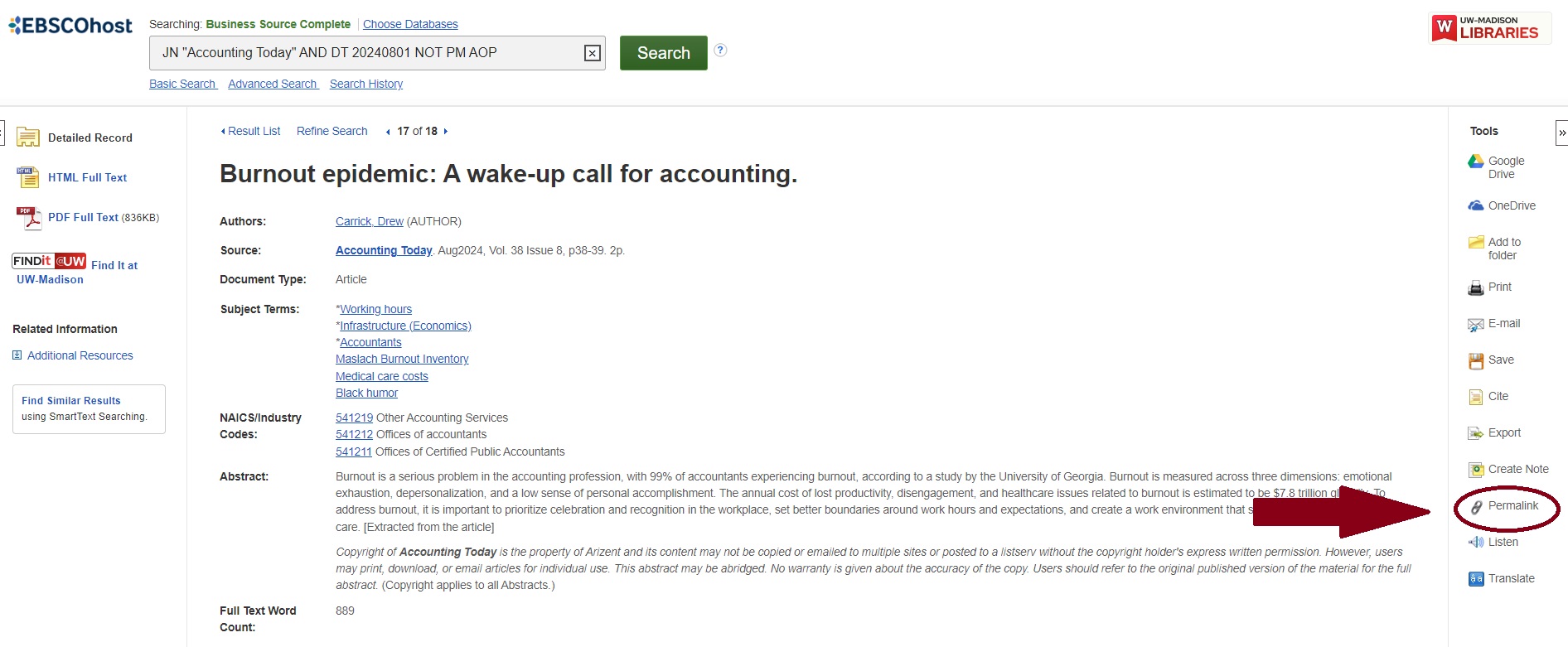
If you have to cite from the library database because an article isn’t on the internet, you must use permalinks (also known as stable links, static links, or permanent URLs). Different databases locate these in different places. For example, in EBSCO you’ll find the permalink on the right side of the screen under Tools:
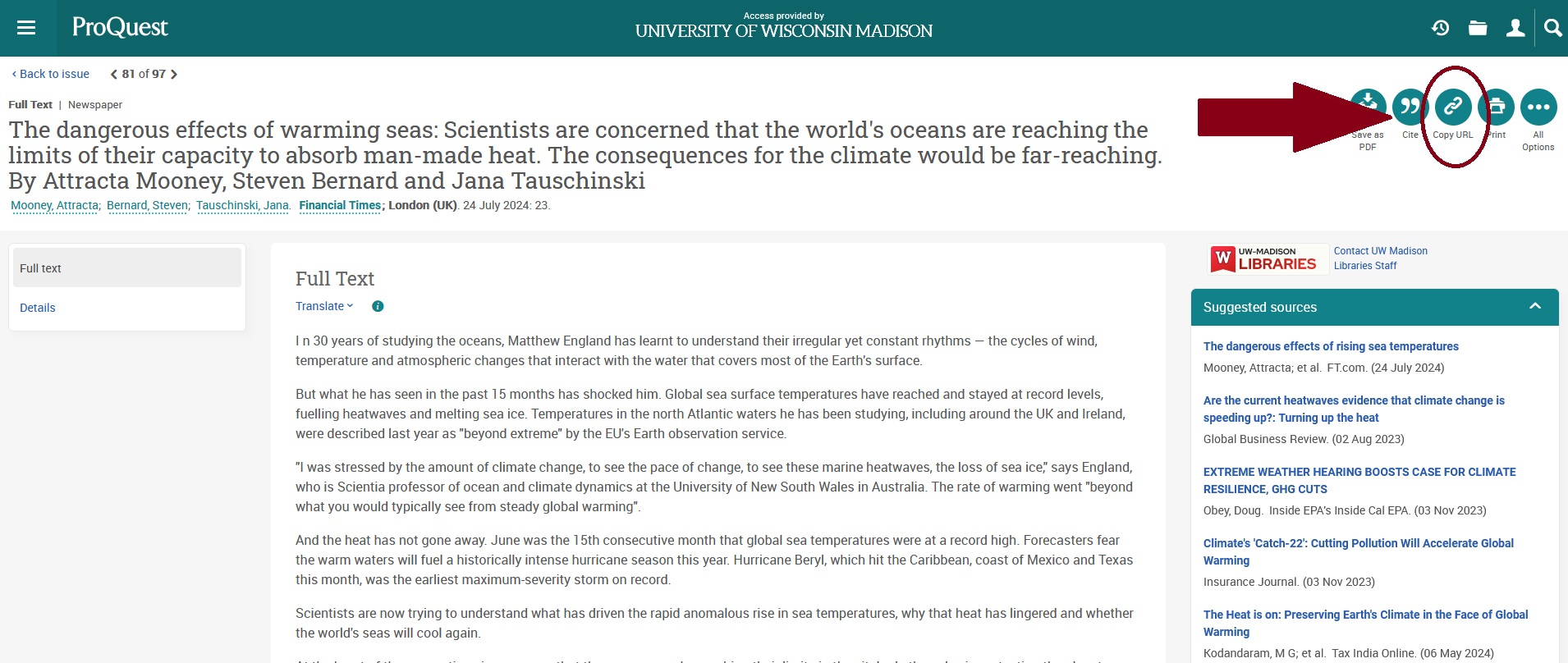
Proquest places the durable URL in the upper right hand corner:
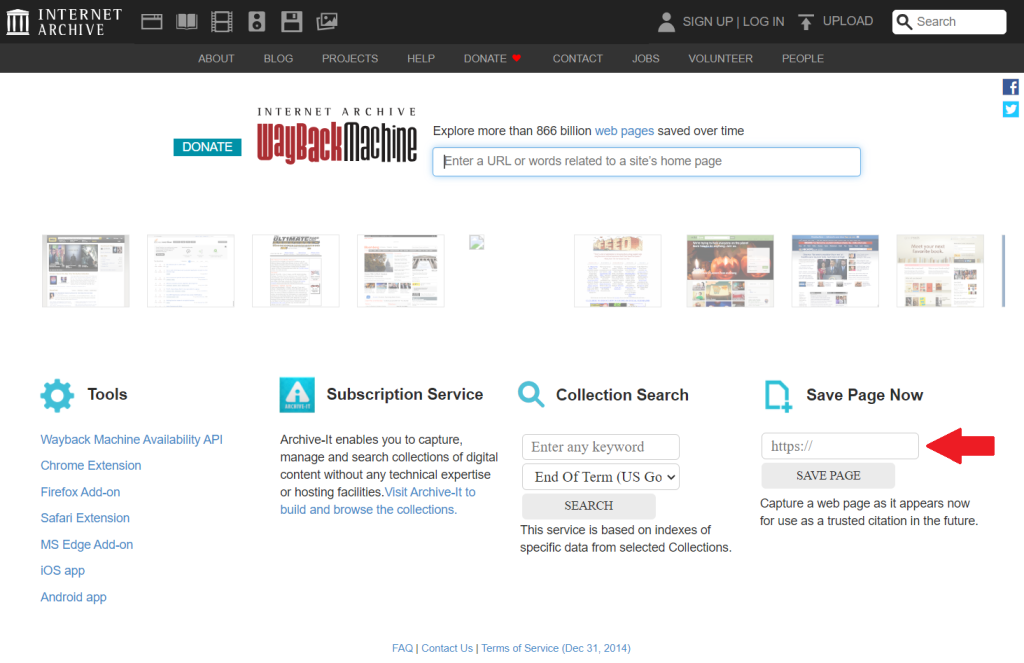
Job ads, for example, disappear once they are filled. Create a permanent hyperlink and record of an ad by saving the page to the Internet Archive, also known as the “Wayback Machine.”
The Simplest Method Has Two Steps
- Go to this page and paste the url of the page you want to preserve into the box under the heading “Save Page Now.”
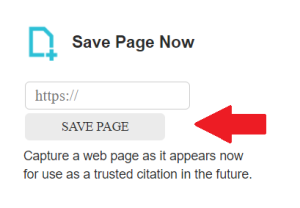
- Click the “Save Page” button.
Visit the Internet Archive’s guide to saving pages for additional methods.
You can create your own hyperlink by saving web content your reader might not be able to access as a PDF and adding the file to a digital storage service such as Box or Google Drive.
- Save or print all text/content to PDF. Make sure you include key information like the author, date, and website owner.
- Upload the file to Box or Google Drive.
- Create a shareable link by following these instructions:
On this page
Related pages
More information
This guide details strategies for effective workplace communication and approaches for research in professional settings.