Research Strategies
The library offers access to many sources that are not available for free on the internet. The following instructions demonstrate how to find and use these sources.
Searching for a Specific Publication
Looking for a specific publication? Check out these step-by-step instructions for two examples.
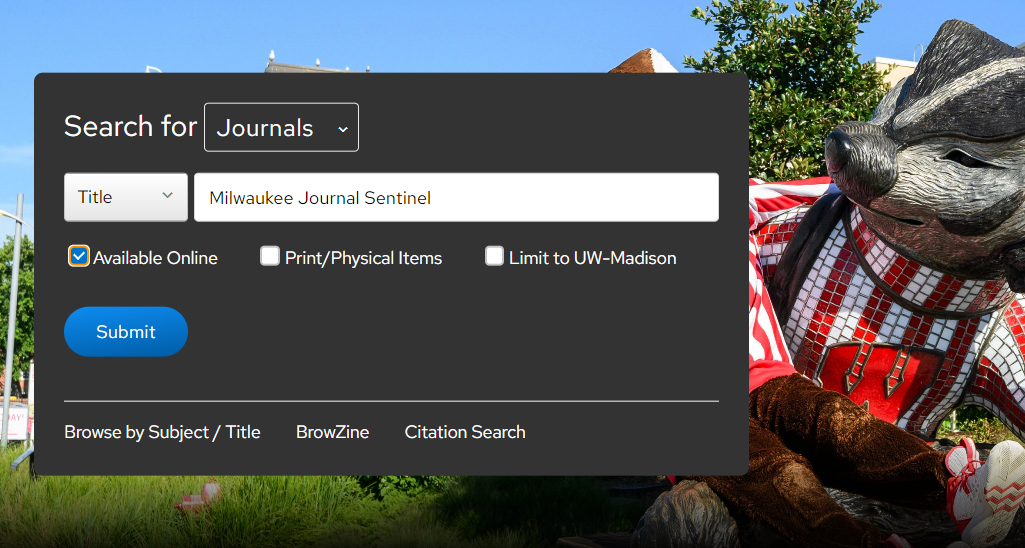
- Go to the UW–Madison Libraries’ homepage
- Select “Journals” from the drop-down menu above the search box
- Type the name of the newspaper you are searching for in the search box, e.g. “Milwaukee Journal Sentinel”
- Change the drop-down to the left of the search bar from “Keywords” to “Title,” and check “Available Online”
- Select the “Submit” button
- Locate the newspaper in the results; you may see several editions or versions of the same newspaper, so pay attention to dates and descriptions such as “evening edition”
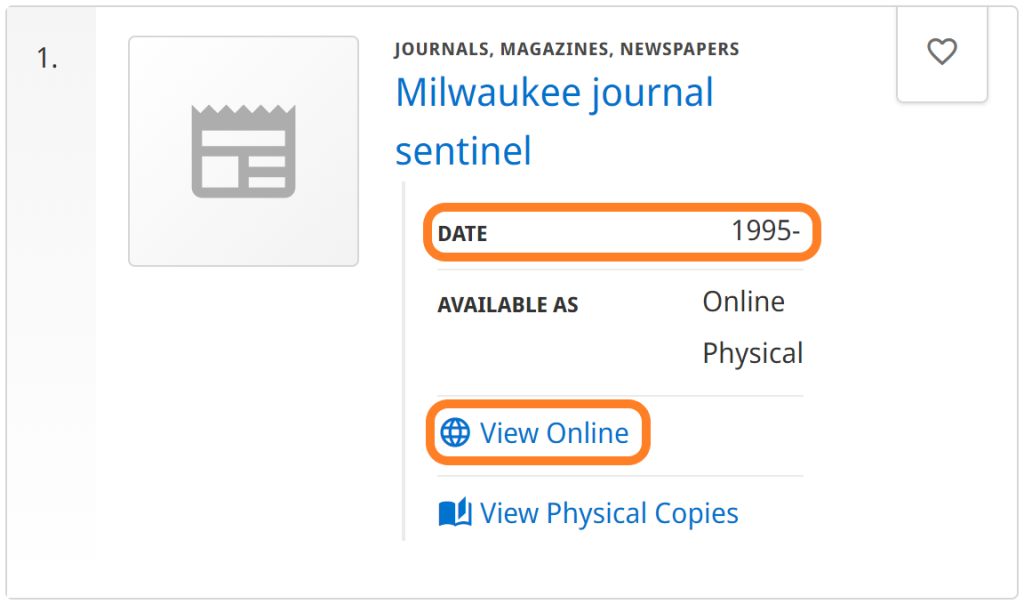
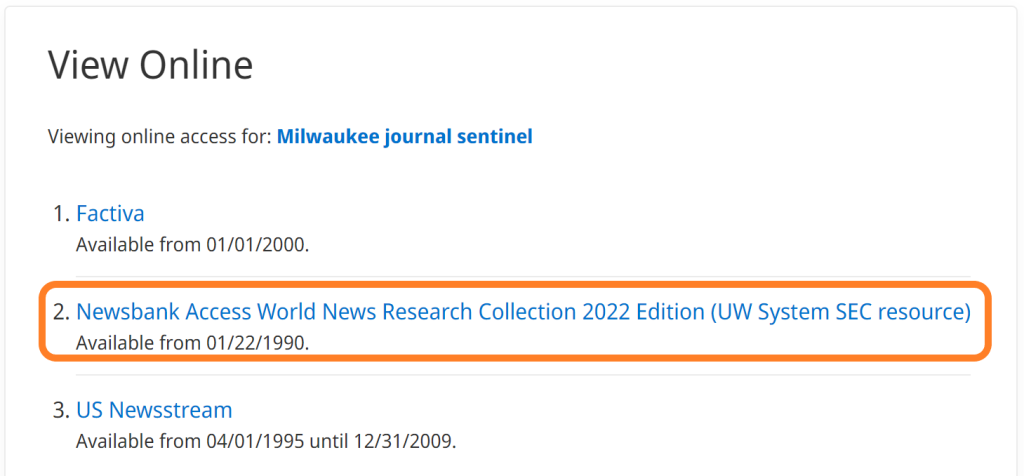
- Select “View Online” to see online access options as well as the time span covered for each option (each option listed is a different database that provides access to that publication, e.g. Factiva, Newsbank Access World News, and US Newsstream)
- Select one of the linked database names (e.g. Newsbank Access World News) to search within the newspaper for a specific topic or to browse by date.
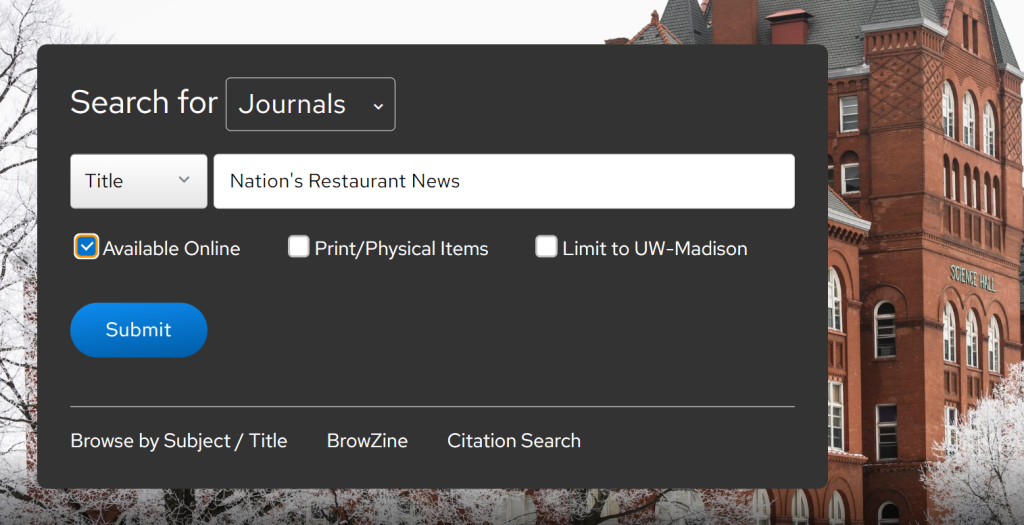
- Go to the UW–Madison Libraries’ homepage
- Select “Journals” from the drop-down menu above the search box
- Type the name of the journal you are searching for in the search box, e.g. “Nation’s Restaurant News”
- Change drop-down from “Keywords” to “Title” and check “Available Online”
- Select the “Submit” button
- Locate the publication in the results
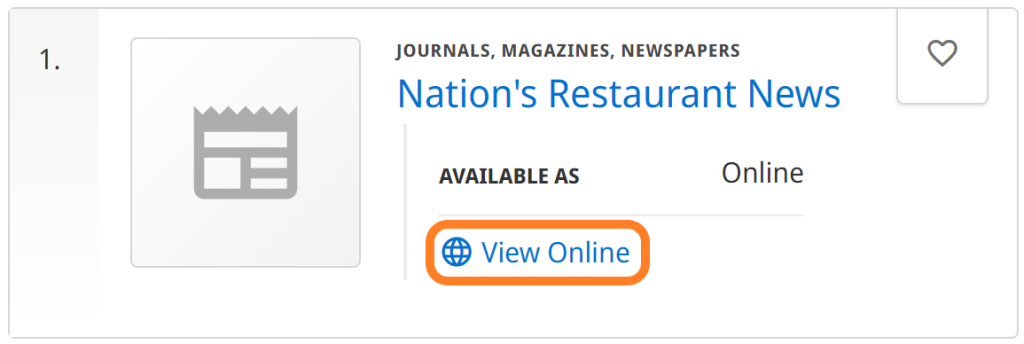
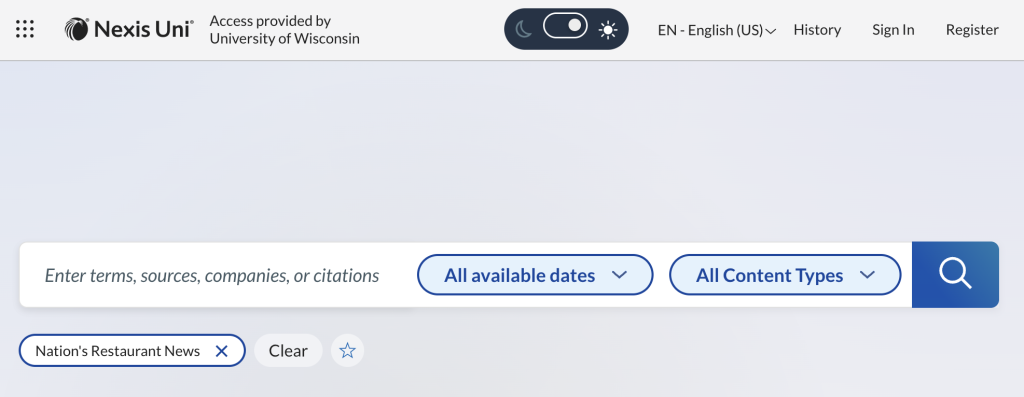
- Select “View Online” to see online access options as well as the time span covered for each option (each option listed is a different database that provides access to that publication, e.g. Nexis Uni)

- Click on your chosen database to search within the publication for a specific topic or to browse by date.
Searching Within a Specific Publication
Once you have found a specific publication in a database, you can perform searches within that publication, to see what that publication says about a topic. For example, you might want to survey what Fortune has published about the restaurant industry or what Journal of Marketing Research has published about outside dining statistics in the past couple of years.
- Locate your chosen publication by either clicking on the its title from link in this Guide, or use the “View Online” list to identify a database that includes the publication
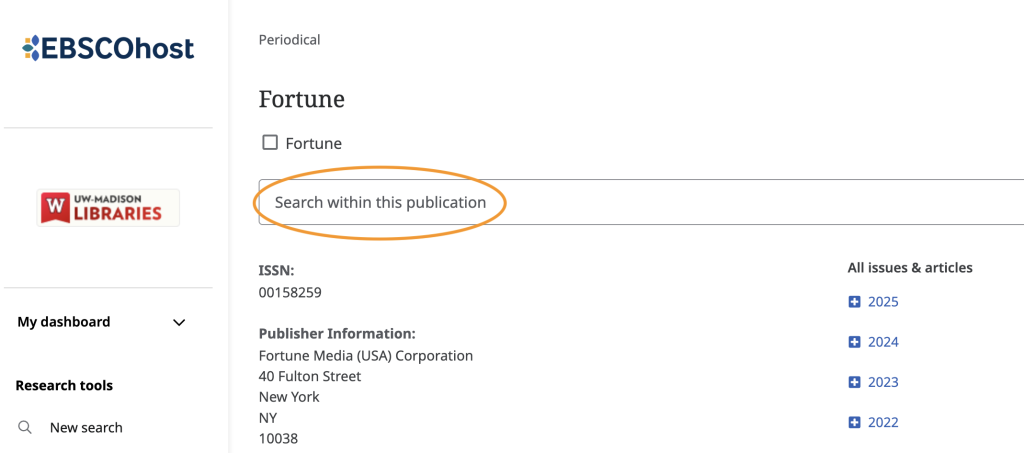
- Look for a link, or even a search box on the publication page for your journal within the database, to search ONLY within that journal
- Search for a term or subject to see if this publication covers the topic
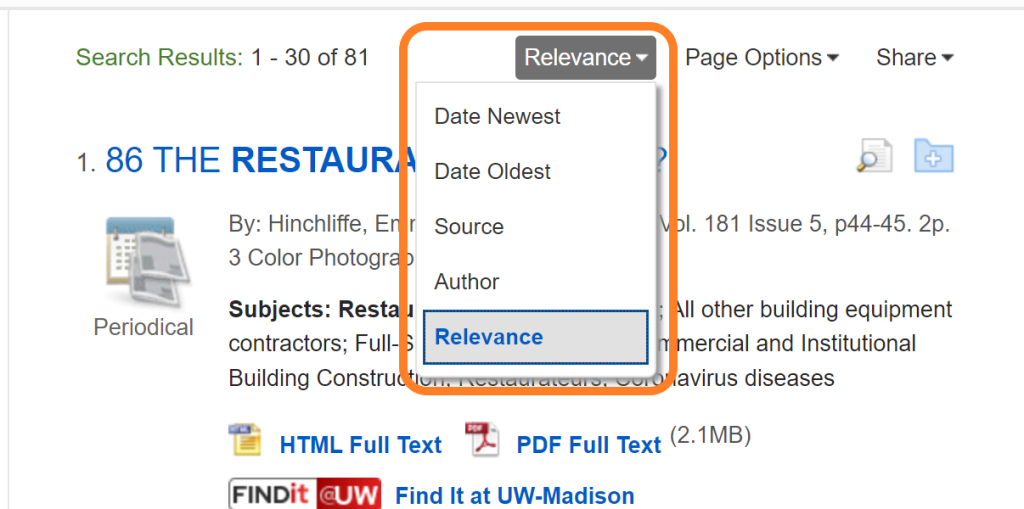
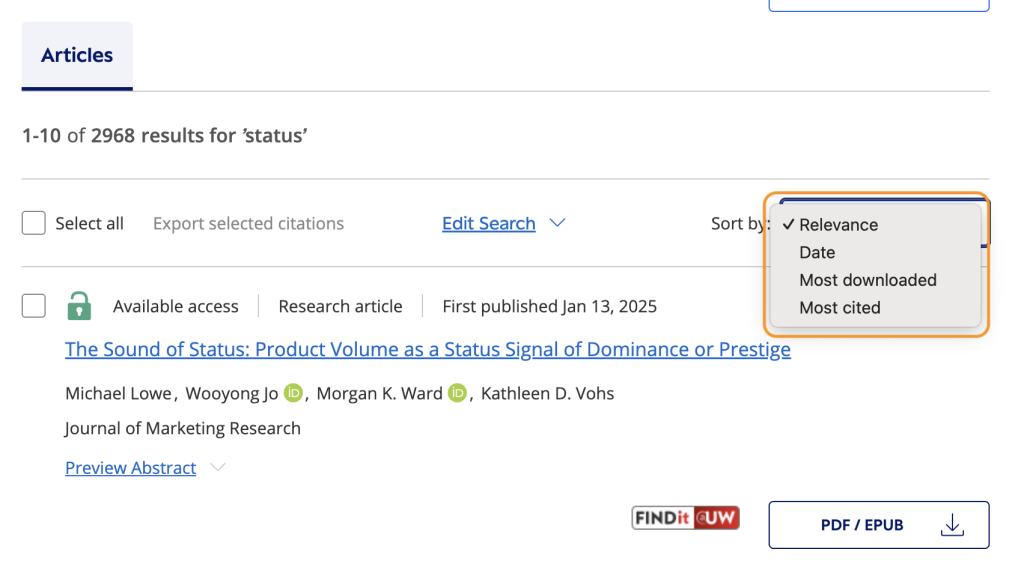
- Note that you can sort your results from most recent to least recent, usually by clicking “Date Newest,” or “Date,” to get a sense of coverage over time, or simply to focus on their most recent coverage
- Select the database you have chosen to use
- Look on the Publication Page for your journal within the database for a link, or even a search box on that page, to search ONLY within that journal

- Search for a term or subject to see if this publication covers the topic
- Note that you can sort your results from most recent to least recent, to get a sense of coverage over time or simply to focus on their most recent coverage
Scanning Tables of Contents
Looking through the tables of contents of multiple issues of the same publication is a good way to understand what kinds of topics a publication covers. If you’re looking at a trade publication, it’s also a good way to learn about topics under discussion in that industry.
- Perform a journal search for your publication and find the Publication Page for your journal within the database
- Look on the Publication Page for a list of available Issues by date.
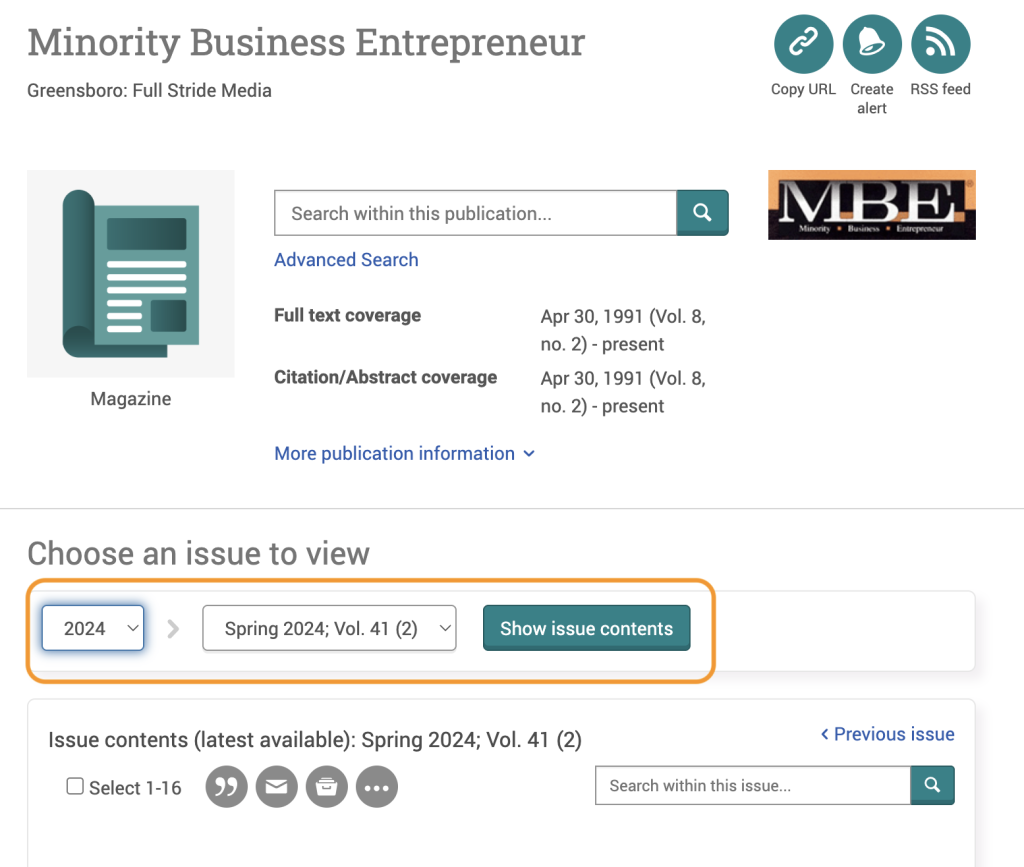
- Choose the issue you are interested in by clicking on it. Issues are usually signified by date, season + year, and/or volume number + issue number.
- Scan the list of articles for that issue (the table of contents) to get an idea of the content contained in that journal
- Perform a journal search for your publication and find the Publication Page for your journal within the database
- Look on the Publication Page for a list of available Issues by date
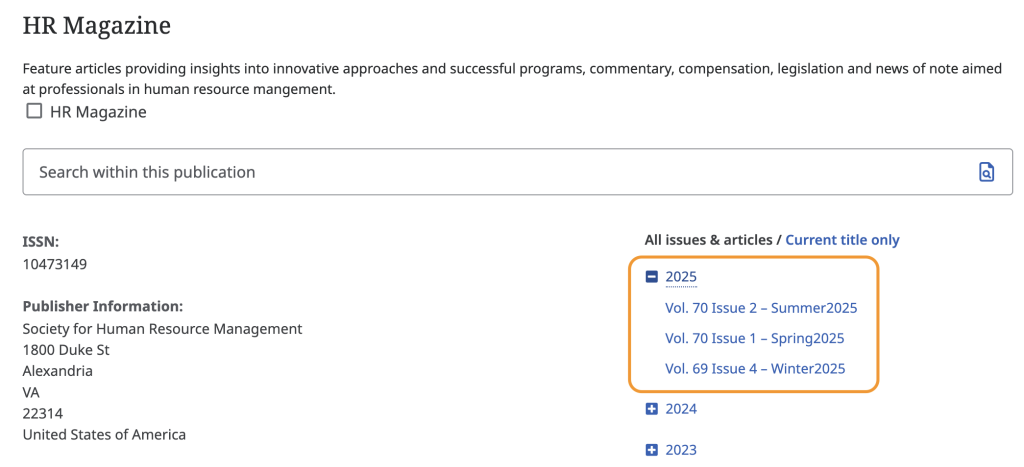
- Choose the issue you are interested in by clicking on it.
- Scan the list of articles for that issue (the table of contents) to get an idea of the content contained in that journal
Searching Within Databases
Follow this link to the Library’s video on how to “Search Within Databases.”
Refining Search Results
Special symbols can help you to refine your searches. These strategies work in library databases, but also in search engines like Google, Duck Duck Go, and Bing.
Note, some Boolean operators only work in databases while others only work in commercial search engines.
| Operators | Examples |
|---|---|
| ” “ Use quotation marks to search for an exact phrase or word | “tax accountant” “actuarial consultant” |
| * Use an asterisk sign to replace anything that comes after the letter immediately before it; this is called truncation | econom* This will find articles that contain any of the following words: economy, economies, economical, economist, econometrics, etc. |
| AND Use AND to limit results to articles that contain two terms | software AND engineer “customer service” AND hospitality |
| OR Use OR to broaden your search | health actuary OR retirement actuary |
| ( ) Use parentheses to do a complex search | Manager AND (Employee relations OR human resources) This strategy will find both human resources managers and employee relations managers. |
| – Use the hyphen to exclude a term from the search | Marketing -Sales This limits results to only those with Marketing and excludes those with the term Sales.) |
| site: Use this strategy to exclude a website from the search results | Human resources -site:wikipedia.org This limits results to sources other than Wikipedia. |
| ~ Use the tilde to find your search term and its synonyms | ~procurement This strategy searches for the term procurement and its synonyms. |
| Related: Put related: in front of a web address you already know to find articles from similar websites | Related:nytimes.com This searches websites similar to the one in the search. |
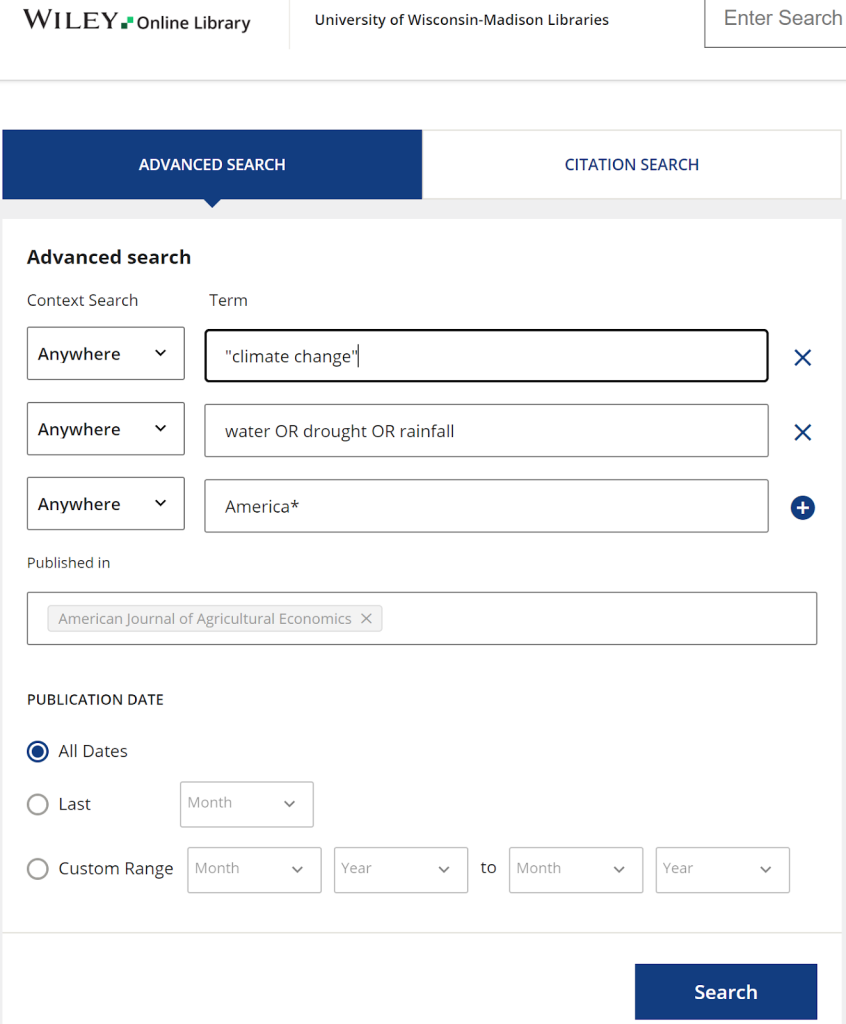
Try using a combination of the search strategies in the table above when searching within a database. For example, looking at the American Journal of Agricultural Economics (scholarly journal), you might use the following search terms:
- “climate change”
- water OR drought OR rainfall
- America*
Putting keywords into a search engine often results in sponsored posts rather than quality articles. Use boolean operators to find articles from resources you know provide fact-checked information. For example, use the following search terms to find articles on climate and insurance from the New York Times or the Wall Street Journal:
- wsj.com OR nytimes.com AND climate AND insurance
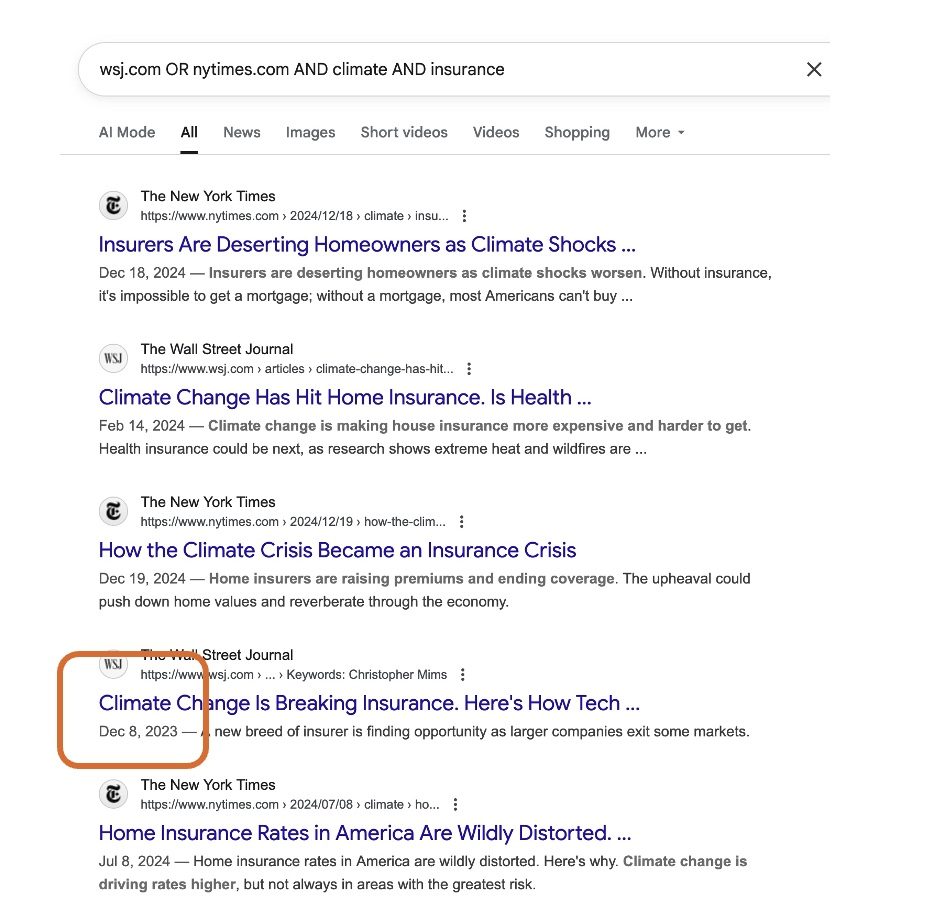
This is a good start, but 2023 is a while ago for understanding the current state of an industry.
Databases and search engines allow you to sort results to find more recent articles. For example, in Google, click on Tools and then switch from “Any Time” to “Past Year.”
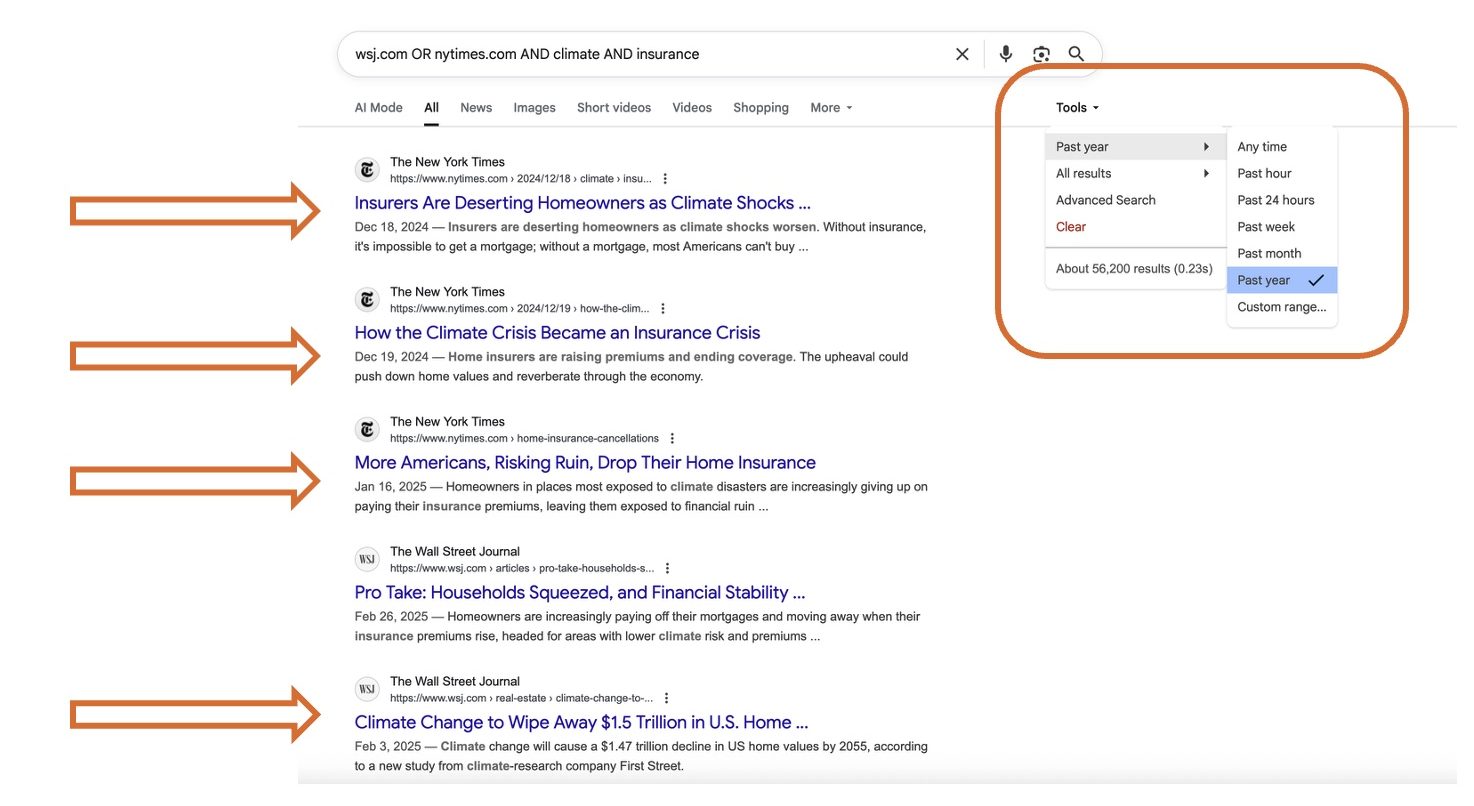
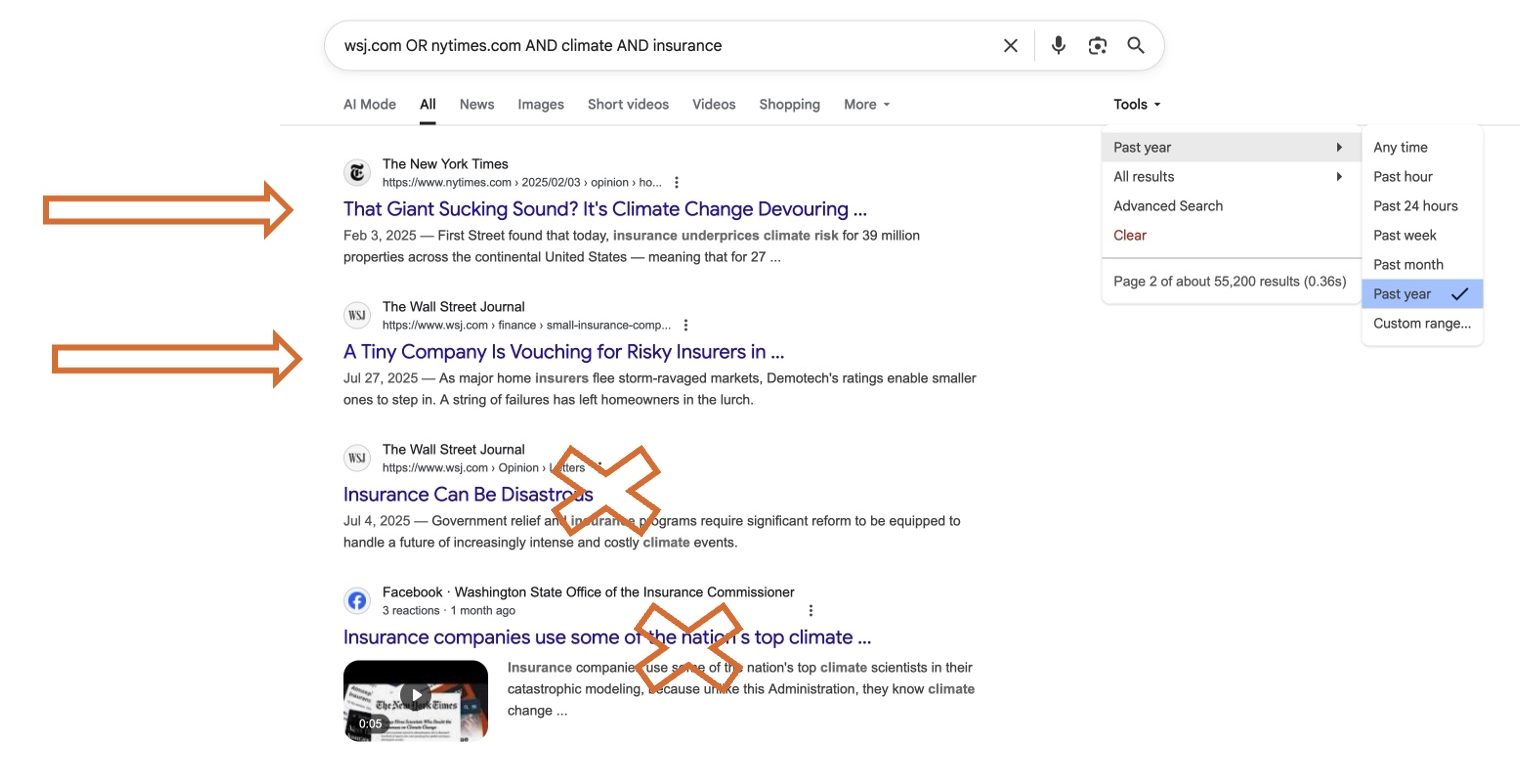
Limiting the search to the past year resulted in four good sources. The “Pro Take” from the Wall Street Journal requires further exploration to determine credibility.
Page two of the search results lists a clearly labeled opinion piece that may include biased and inaccurate information; choose articles from the fact-checked news side of the papers.
Avoid the Facebook post. Even a targeted search can still surface some odd results.
On this page
Related pages
More information
This guide details strategies for effective workplace communication and approaches for research in professional settings.